

Google Called It the Biggest Android Update Ever. Let’s Be Honest About That.
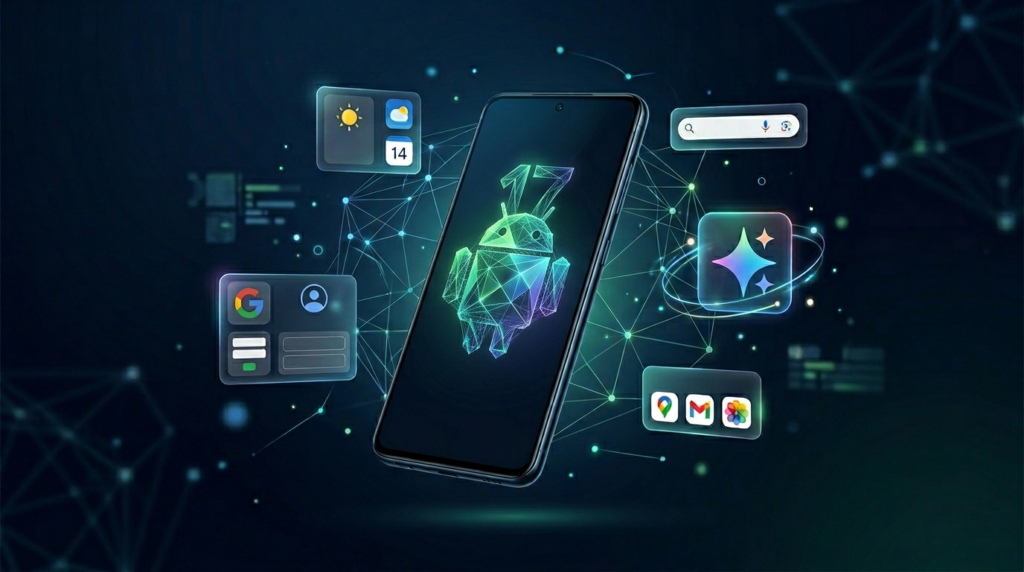
Google set a massive bar before their pre-I/O Android Show calling it the biggest Android update they’ve ever done. That’s a bold thing to say out loud. And now that everything’s been announced, covering Android 17, a redesigned Android Auto, and an entirely new product called Google Books, the real question is: does it actually hold up?
Some of it genuinely does. Some of it… not so much.
Here’s a straight breakdown of what matters, what’s interesting, and what’s being sold harder than it deserves.
Android 17: Real Features, Not a Visual Overhaul
Let’s clear one thing up right away Android 17 is not a redesign. The look and feel of Android is staying mostly the same. What you’re getting is a set of new features layered on top, with AI woven throughout.
Smarter Autofill That Actually Knows You
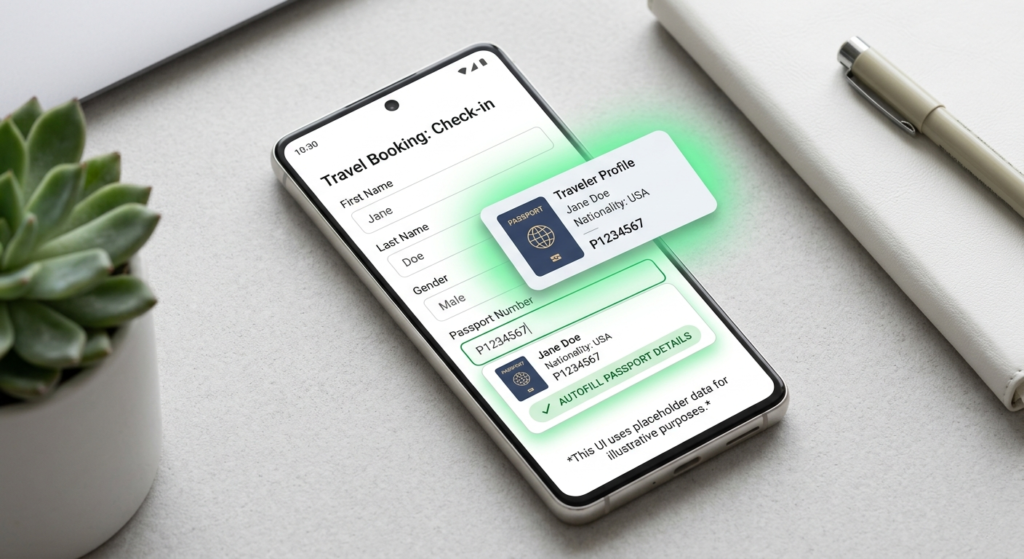
The autofill update is one of those things that sounds small but will genuinely save your time. Right now, autofill handles the basics your name, address, phone number. The new version goes further by pulling information from your existing Google services.
Say you’re filling out a form that asks for your passport number. If a photo of your passport is sitting in Google Photos, Android can find that information and fill it in automatically. No switching apps, no hunting through your photo library. It just works. That’s the kind of feature that earns its place.
Creator Tools Built Into the OS
Android is adding native tools that content creators have been doing through third-party apps for years. You can now cut yourself out of the background and layer yourself over whatever’s on your screen that talking-head-over-content format you see everywhere on Instagram and TikTok. It’s built directly into Android now, no extra app needed.
There’s also a new photo and video enhancement feature that Google describes as revealing “breathtaking detail.” Here’s the honest take: the before-and-after they showed looks worse. The enhanced version is brighter and technically shows more detail in the shadows, but it wipes out all the contrast and depth in the process. What’s left is flat and lifeless. More brightness does not mean better photo. Google’s been pushing image processing in a direction that feels increasingly artificial, and this might be another step down that road.
Pause Point Is a Different Kind of Screen Time Tool
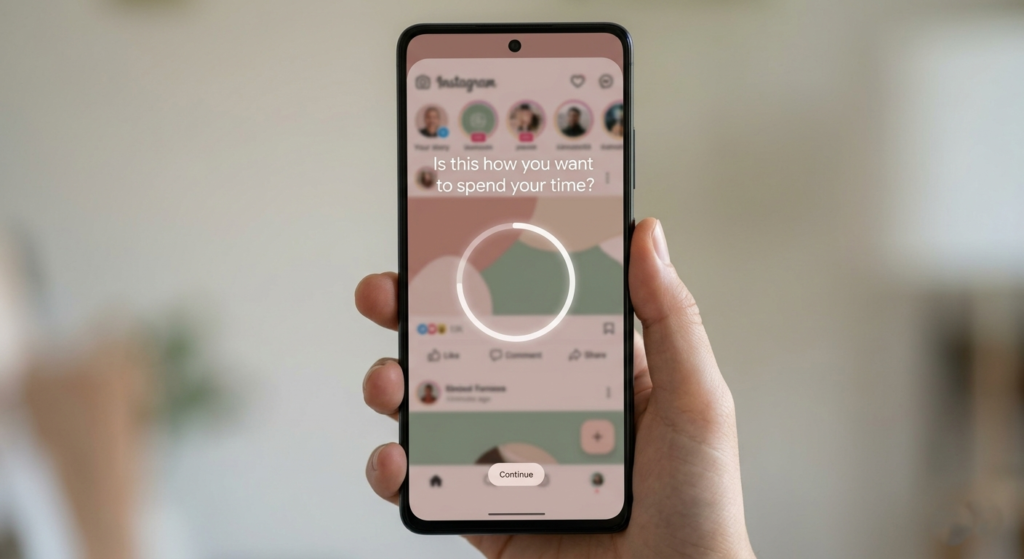
This one’s actually clever. Instead of cutting you off when you hit your app limit, Pause Point stops you before you even open the app and asks if this is really how you want to spend your time right now. It can show you breathing prompts, suggest different apps, or display personal photos you’ve chosen as a reminder to step away.
Will it work better than the existing screen time tools? Hard to say. But it’s a different approach less about punishment, more about awareness and that makes it worth trying.
Better Speech-to-Text with Rambler
Google is also rolling out an improved speech-to-text tool called Rambler. It strips out the filler words the ums, the uhs, the random “likes” and stitches your spoken words into clean, coherent text. If you’re someone who dictates messages or takes voice notes, this is a meaningful upgrade.
As for timing, Samsung Galaxy and Pixel phones will get all of this first, sometime later this summer. Everything else comes after.
Gemini Intelligence: Powerful Idea, Skeptical Reality Check
Here’s where things get interesting and where the hype gets a little loud.
Google is branding a collection of AI capabilities under the name “Gemini Intelligence.” The core idea is that Gemini will use what it already knows about you across all your Google services to take actions on your behalf. It can do things for you, not just answer questions.
The Concert Ticket Problem
One of the promo videos shows a guy scanning a concert poster, texting a friend about it, and then Gemini popping up a button that says “book two floor seats.” He taps it. It says “buying tickets.” And then tickets purchased.
That’s it. That’s the whole flow in the video.
Look, that can’t actually be how it works. Getting the right seats, on the right date, at the right price, at the right venue there are too many variables for a single tap to handle responsibly. And based on the response that video got online, nearly everyone felt the same way.
To be fair, a Google exec confirmed there are more steps in the actual checkout process that didn’t make it into the promo. That’s reassuring. But showing a one-tap purchase in an ad when that’s not the real experience is the kind of thing that erodes trust, not builds it.
Custom Widgets Are a Genuinely Good Idea
On the other side of the coin, the ability to create custom widgets through natural language is one of the most practical things shown. You describe what you want your flight info, the weather at your destination, a countdown to an event and Gemini builds a widget for it. When you’re done, you delete it.
This is AI doing something genuinely useful: removing the friction from things that already exist in Android but most people never bother with because setup is annoying. If you can just ask for it and it appears, that’s a real win.
The real strength of Gemini Intelligence isn’t the flashy one-tap actions. It’s removing friction from things you already wanted to do but couldn’t be bothered to set up.
Android Auto Gets a Long-Overdue Makeover
Android Auto’s update is significant and honestly well-deserved. The redesign is visually modern in a way that actually competes with what Apple Maps has been offering building outlines, overpass details, lane-by-lane guidance so you know exactly where to move before a turn.
The interface also gets customizable widgets on the right side and an app drawer on the left. Practical, clean, and easy to use while driving which is the whole point.
YouTube in Your Car Is Wilder Than It Sounds
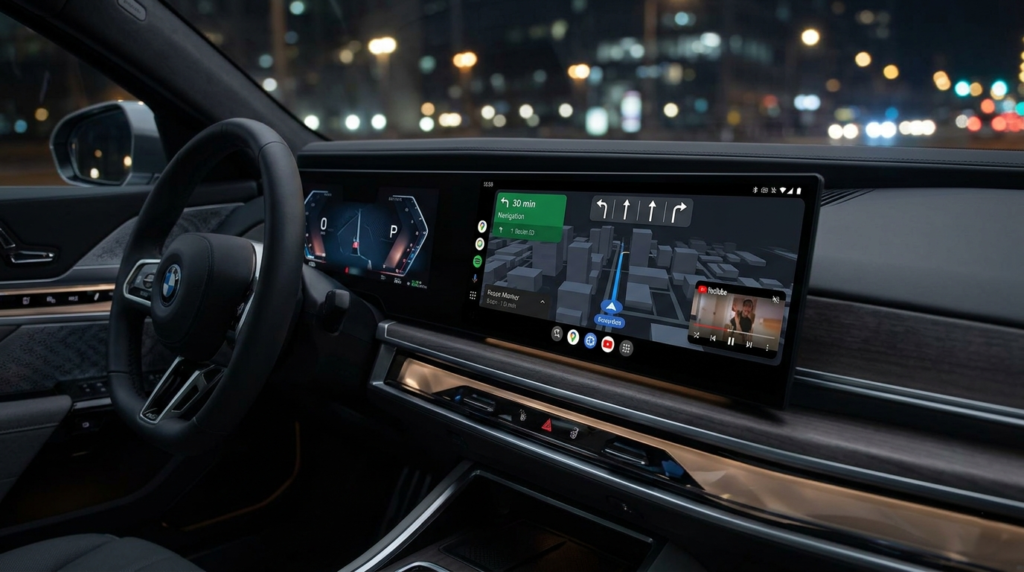
One of the more unexpected features: you can now watch YouTube videos in full HD on your car’s screen while parked. If you drive an EV and spend 30 or 40 minutes charging, that’s actually a reasonable thing to want. And when you pull out of the spot and start driving, the video slides away and automatically continues as background audio.
A few questions still hang in the air does the transition trigger when you shift into drive, or when GPS detects movement? And does background audio require YouTube Premium? Those details matter and haven’t been fully answered yet.
Google Books: Chromebooks With a New Name and a Glowing Bar
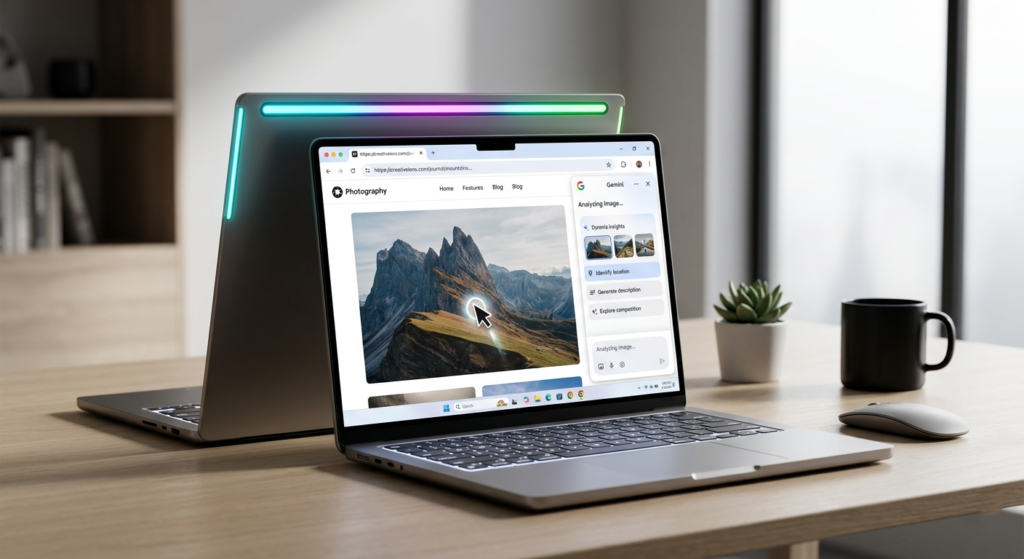
Google also announced something called Google Books, which is essentially a new generation of Chromebooks made by HP, Dell, Lenovo, Acer, and ASUS. The software experience is largely what you know Chrome browser, Android app support, and all the Gemini Intelligence features layered in.
The standout new feature is the AI-powered cursor. Wiggle it and it becomes a Gemini shortcut for everything on screen. Click on an image to learn more about it. Drag two images together and ask Gemini to visualize them combined. Click on a block of text to draft a reply. It’s a smart idea because the cursor is the one thing everyone understands on a laptop making it smarter raises the floor for everyone.
The way you’ll know you’re looking at a Google Book and not just any Chromebook? Premium build quality, and an RGB light bar on the back that glows. Google says the lights will be functional, but hasn’t explained exactly what they do yet. A battery indicator or notification light would make sense. Right now it mostly just looks cool.
Pricing hasn’t been confirmed, but if these come in above $1,000, Google will need a very strong answer for why someone should choose this over a MacBook or a standard Chromebook.
Quick Verdict
| Feature | Worth It? |
| Smarter Autofill | Yes genuinely useful |
| Photo Smart Enhance | Skip it looks worse |
| Pause Point | Interesting worth trying |
| Rambler Speech-to-Text | Yes solid upgrade |
| Gemini Custom Widgets | Yes practical and clever |
| Agentic Ticket Buying | Wait and see too many unknowns |
| Android Auto Redesign | Yes well overdue |
| YouTube in Car | Fun if the details work out |
| Google Books / AI Cursor | Promising price will decide it |
Final Thoughts
Here’s the honest read on all of this: the smaller, quieter features are the ones that will actually improve your day. Smarter autofill, cleaner speech-to-text, a Pause Point that makes you think twice before doom-scrolling these aren’t flashy, but they’re genuinely useful.
The big agentic promises? Still unproven. Not because the idea is bad, but because AI has a track record of getting the details wrong, and the details are exactly where it counts most when money is on the line.
Google I/O is still coming, and there’s more Gemini on the way. But based on what’s been shown so far, the most exciting thing about Android 17 isn’t the AI headline features it’s the accumulation of small, smart improvements that finally make the OS feel more tuned to how people actually live.
Written by Saad · zynoora.com